Gemini 3.8 TTS Playground
How-To How to actually use this
What changed: Google released two new Gemini TTS models with a playground that lets you generate speech from text using over 2,000 voices or a custom voice cloned from a 30-second sample.
How to use it:
- Go to the Gemini 3.8 TTS Playground and paste your text.
- Choose a voice from the library or upload a 30-second audio sample to create a custom voice.
- Select either gemini-3.8-flash-tts or gemini-3.8-flash-lite-tts and generate the audio.
- Download or copy the resulting speech file.
Good for: developers testing TTS voices for apps or content creators needing custom voiceovers.
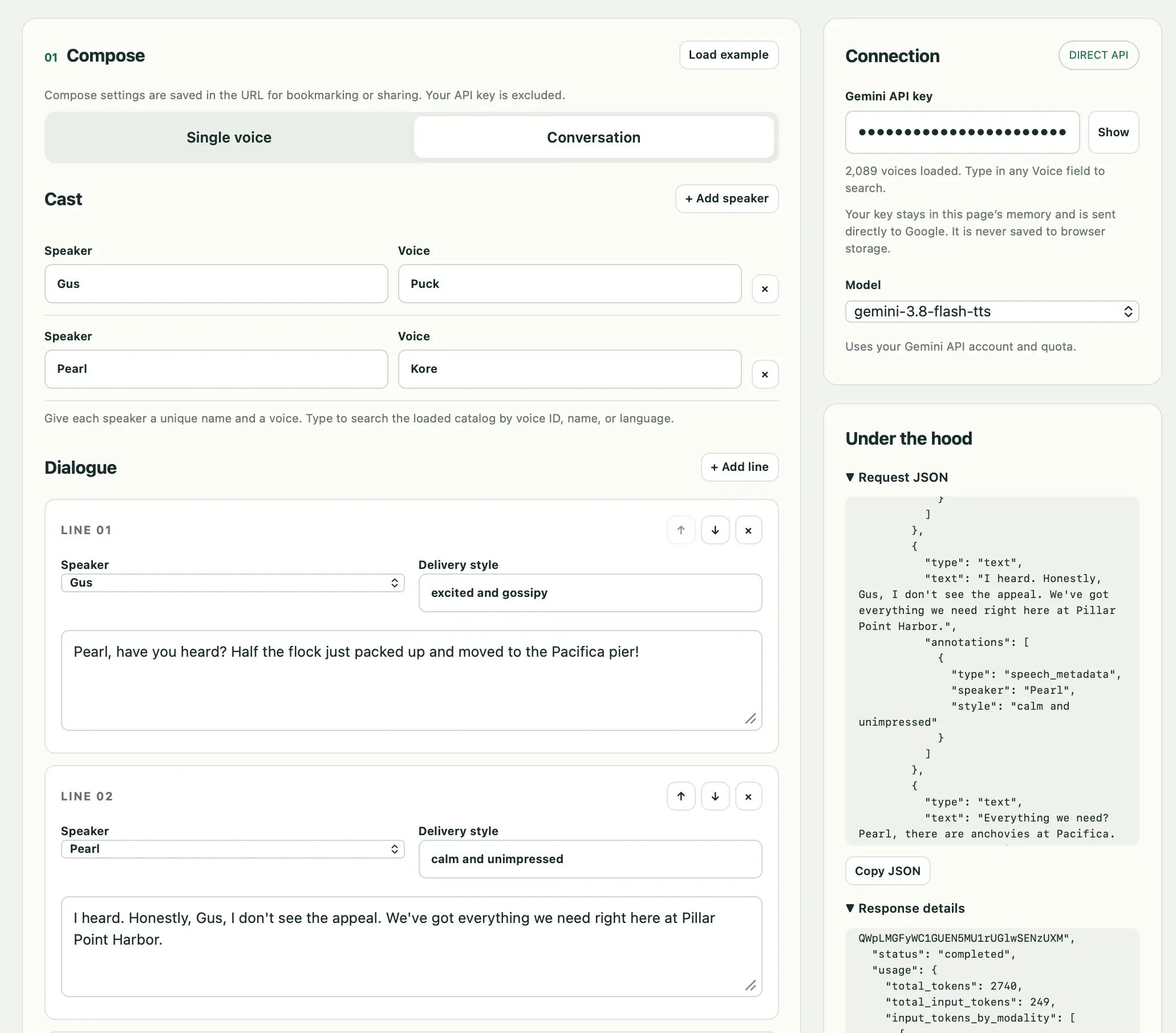
Tool: Gemini 3.8 TTS Playground Google released two new Gemini text-to-speech models today - gemini-3.8-flash-tts and gemini-3.8-flash-lite-tts . They come with a library of over 2,000 voices, plus the ability to create a custom voice with "just a 30-second audio sample of your voice or a voice you have the rights to use". I vibe coded this bring-your-own-key playground interface with GPT-6…
Read original article on Simon Willison's Weblog →More in Model Releases